
SaaS ProductSpend controlAudit trailFaster approvals

PO Approval — Purchase Order Approvals & Spend Control

Policy-driven requisitions and approvals with audit trail, stronger spend control, and clean integration into Sage X3, QuickBooks or Xero.

X3 · QB · Xero
Supported ERPs
API-first
Integration design
2–4 wks
Typical rollout
UK-based
Support & delivery
Spend by approval tier — this month
£251k total
< £1kAuto-approved
Auto£34,200
£1k – £10kSingle approver
1 approver£127,800
> £10kMulti-level
Multi-level£89,400
Open requests
18
Avg cycle time
1.8 days
Approval rate
96%
Requisition pipeline
Submitted
7
In review
5
Approved
4
Rejected
2
Policy enforcement
Thresholds + delegation
Rules enforced consistently — no approval by email side-deal.
Policy-driven approvals
Thresholds, cost centre rules, and exceptions handled consistently — not via email side-deals.
Less friction for requesters
Simple submission, clear status, fewer back-and-forth loops.
ERP-aligned structure
Capture the dimensions your ERP needs to reduce rework.
Audit-ready evidence
Approvals, changes, and attachments stored as part of the record.
Spend visibility
See what’s pending vs approved, bottlenecks, and reporting by dimension.
Better adoption
Reduce off-system purchasing by making the right path the easy path.
Integration-first (Sage X3 · QuickBooks · Xero)

We prioritise stable posting rules, idempotent processing, and clear ownership. Integrations are monitored, logged, and designed for change.
Posting validationError queuesRetry-safeAudit trailMaster data mapping
Sage X3XeroQuickBooks
Sage X3 · QuickBooks · Xero

ERP-specific flow for requisitions → POs

Capture the coding once, validate early, and create clean POs in the ERP with full audit evidence.

Sage X3
  • Dimensions/coding captured at request time
  • Approval thresholds enforced consistently
  • PO creation aligned to ERP master data
  • Audit trail retained alongside the PO
QuickBooks & Xero
  • Account code validation and policy routing
  • Delegations and exception approvals tracked
  • Purchase order creation with consistent coding
  • Spend visibility across teams
Integration detail

Supported objects (typical)

These are the common ERP objects we map and validate. Final scope depends on your configuration and posting rules.

Sage X3
  • Supplier master: Business Partner (BP) mapping
  • Requisition/request data capture (pre-PO) with coding intent
  • Purchase orders: header + lines (service/item) creation
  • Analytical dimensions + budget/threshold rules (where applicable)
  • Approval history + evidence linked to the PO/request
  • Exception handling: urgent approvals / policy exceptions
QuickBooks & Xero
  • Supplier/vendor mapping
  • Request-to-order flow (pre-PO) with account coding intent
  • Purchase orders: header + lines creation
  • Account code validation + policy routing
  • Approval history + attachments
  • Exception handling: urgent approvals / policy exceptions
Typical data flow

From request to approved PO in the ERP

This is the baseline flow we adapt to your posting rules and controls.

Step 1
Request
Requester submits with supplier, description, and coding intent.
Next
Step 2
Approve
Policy-driven approvals with evidence and delegation.
Next
Step 3
Create
Create a clean PO in Sage X3, QuickBooks, or Xero with validated dimensions.
Next
Step 4
Track
Visibility for pending/approved spend and audit trail for reviews.
How it works

A rollout that respects your ERP and your team’s time

We keep it practical: prove value quickly, then expand.

Step 1
Discovery
Policy and baseline
Define thresholds, roles, and the minimum data needed to align with the ERP.
Step 2
Build
Approval flows
Configure approvals by dimension and exception handling for urgent spend.
Step 3
Go-live
ERP integration
Map master data and define how approved requests become POs in Sage X3, QuickBooks or Xero.
Step 4
Optimise
Adoption and iteration
Roll out by team; measure cycle time, reduce exceptions, and expand coverage.
Controls

Spend control without slowing the business

Designed for finance and procurement teams who need auditability and speed.

Thresholds & roles
Approvals by amount, entity, and cost centre — with delegation and clear ownership.
Exception handling
Urgent spend and policy exceptions routed with evidence and visibility.
ERP-ready dimensions
Capture coding once, validate early, avoid rework at posting time.
Screenshots

PO approvals with clear status and evidence

Example listing and approval interactions (replace with your dedicated PO screenshots when ready).
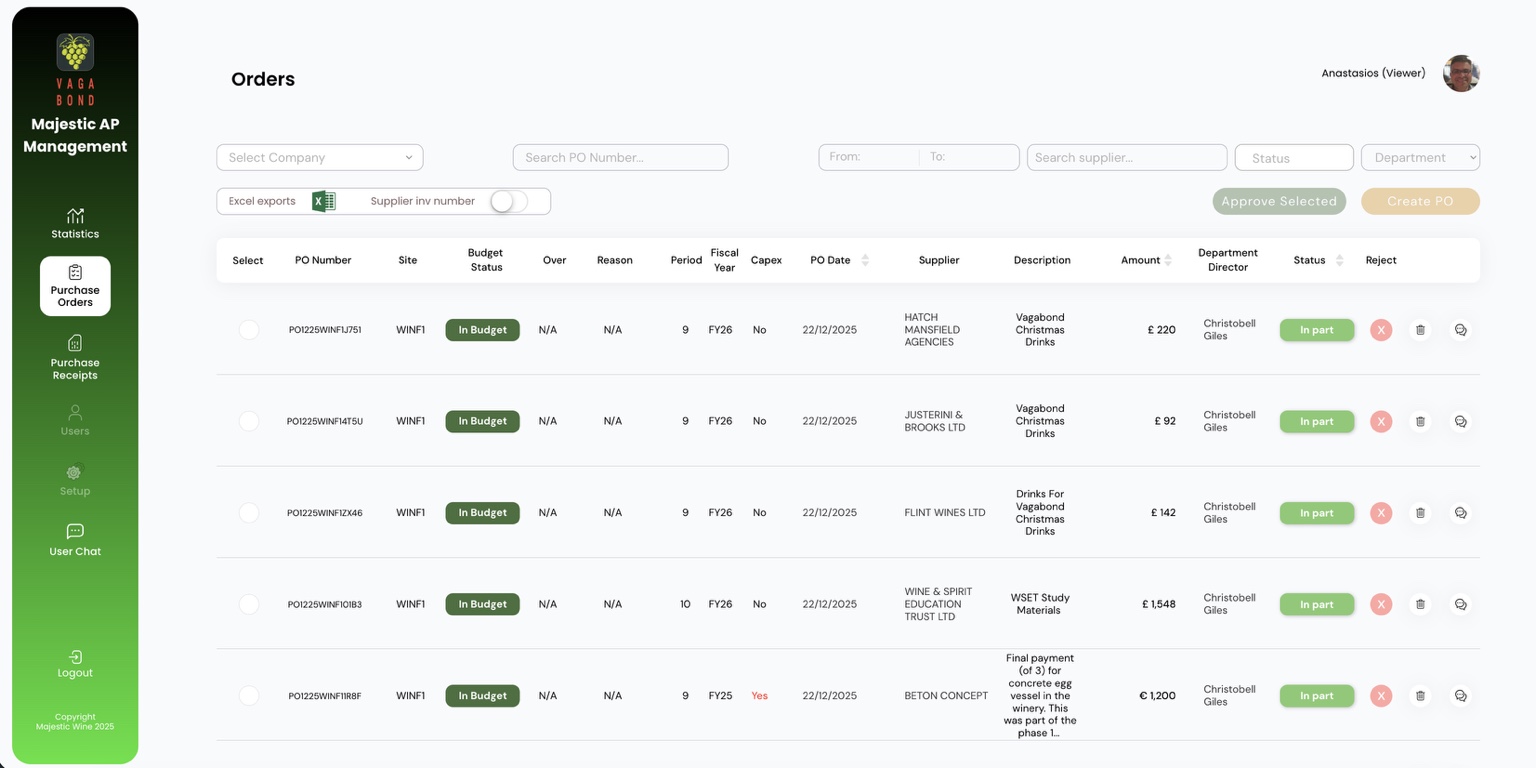
Orders list screenshot
Listing view: filters, statuses, and batch actions.
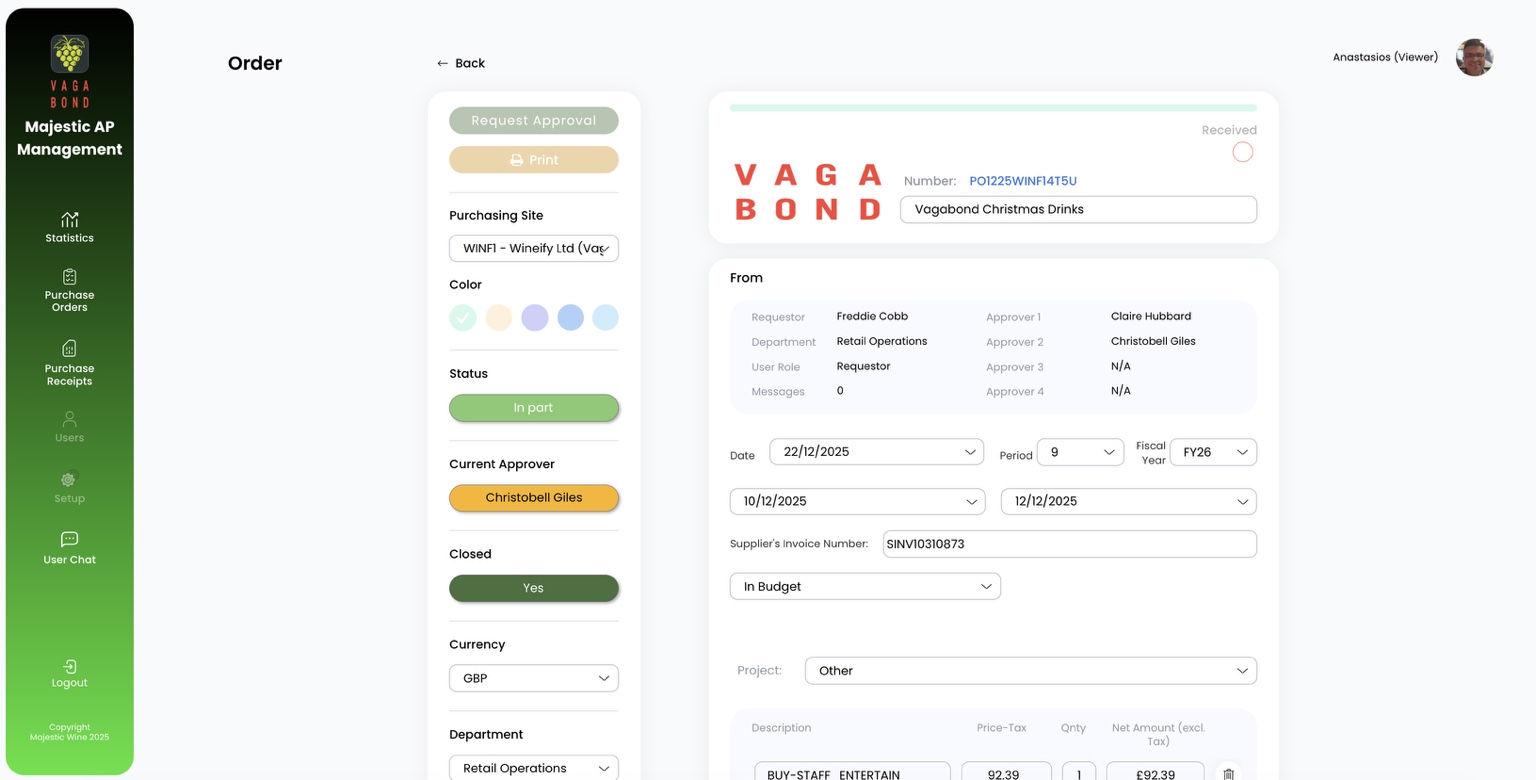
Order detail screenshot
Detail view: approval routing, coding, and evidence.

Want approvals that finance trusts and teams actually use?

We’ll show the flow and map it to your ERP — Sage X3, QuickBooks or Xero — with a realistic rollout plan.

Sage X3QuickBooksXeroApprovalsAudit trail